
Everything in the Standard plan
The core is always included. Standard adds the modules below — each one can be turned off in Admin → Modules so your team only sees what you use.
Real screens from Opvera
These are actual screens from a working Opvera installation — not mock-ups.
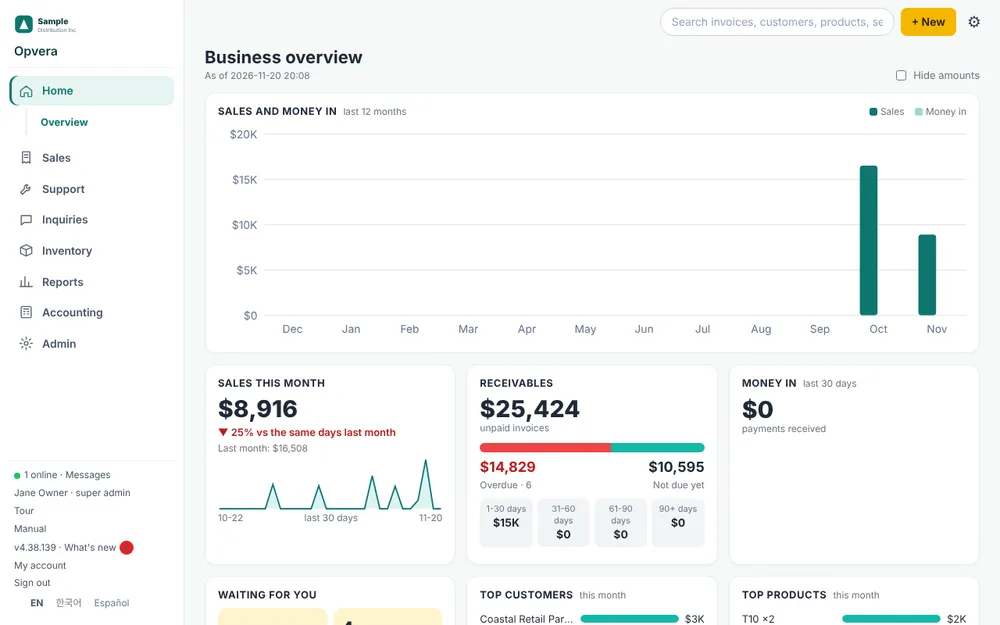
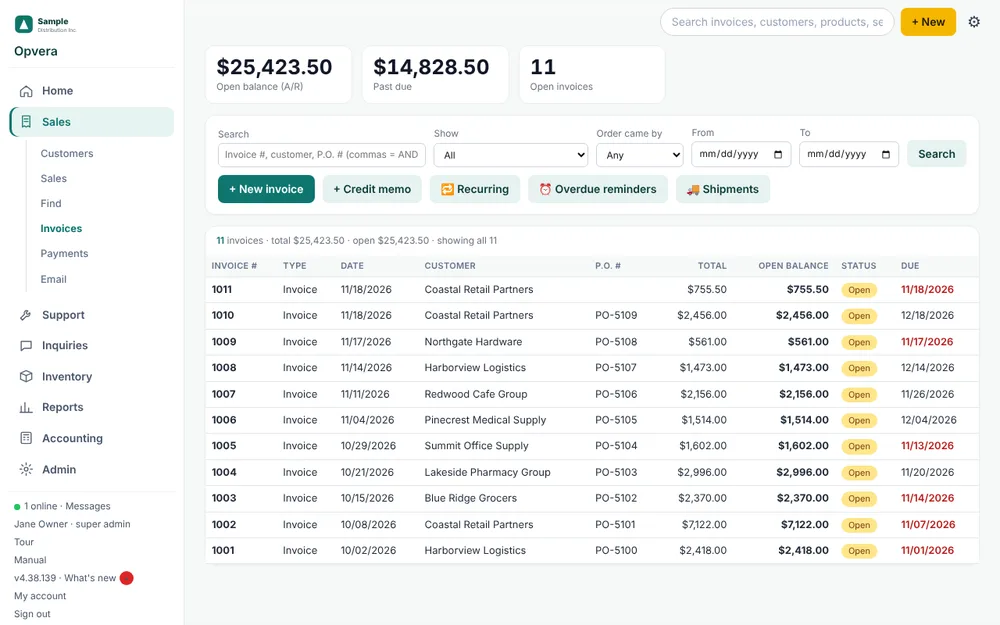
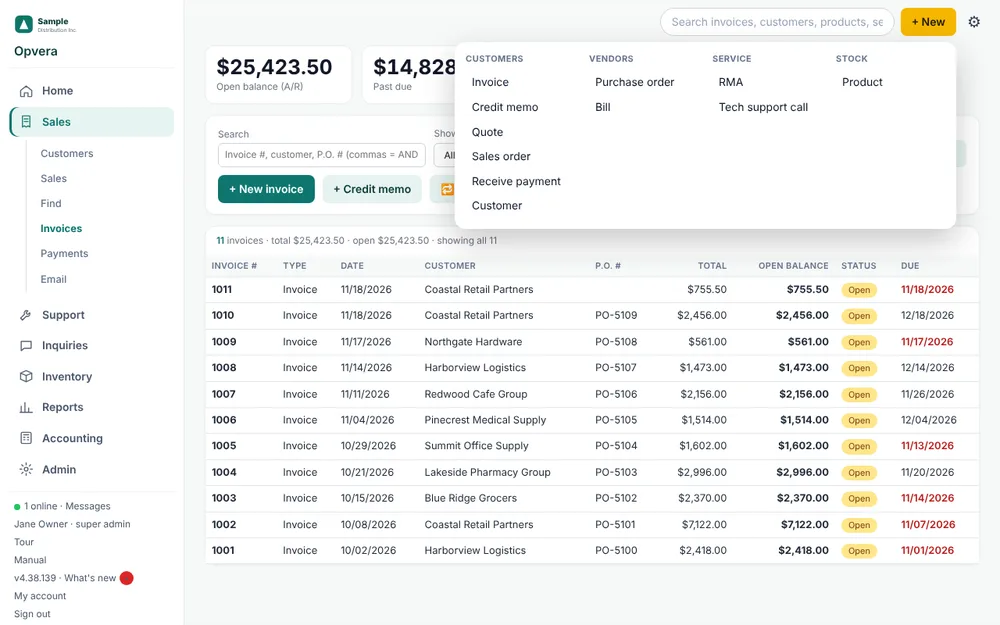
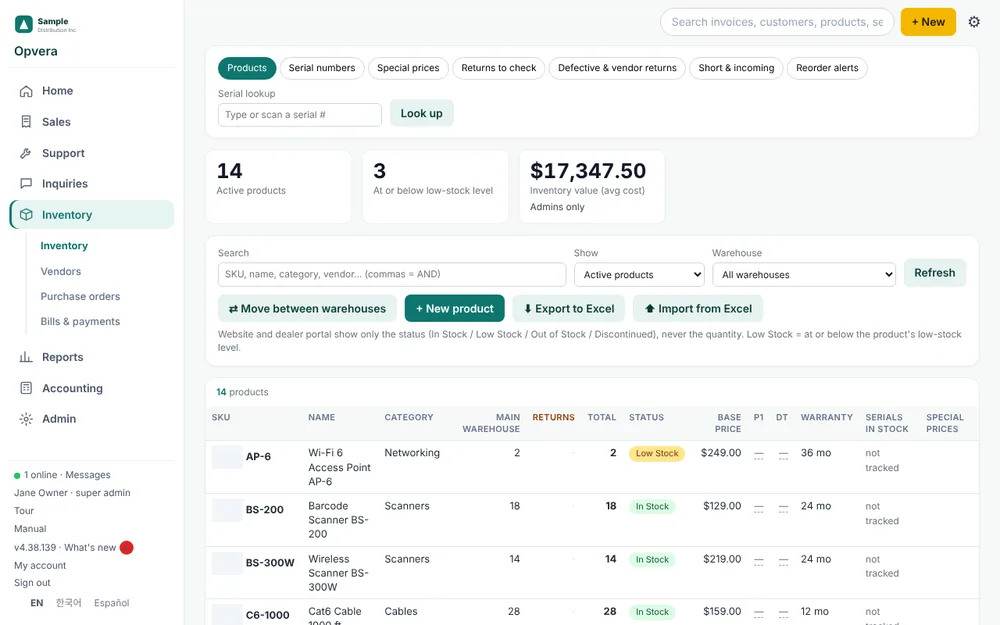
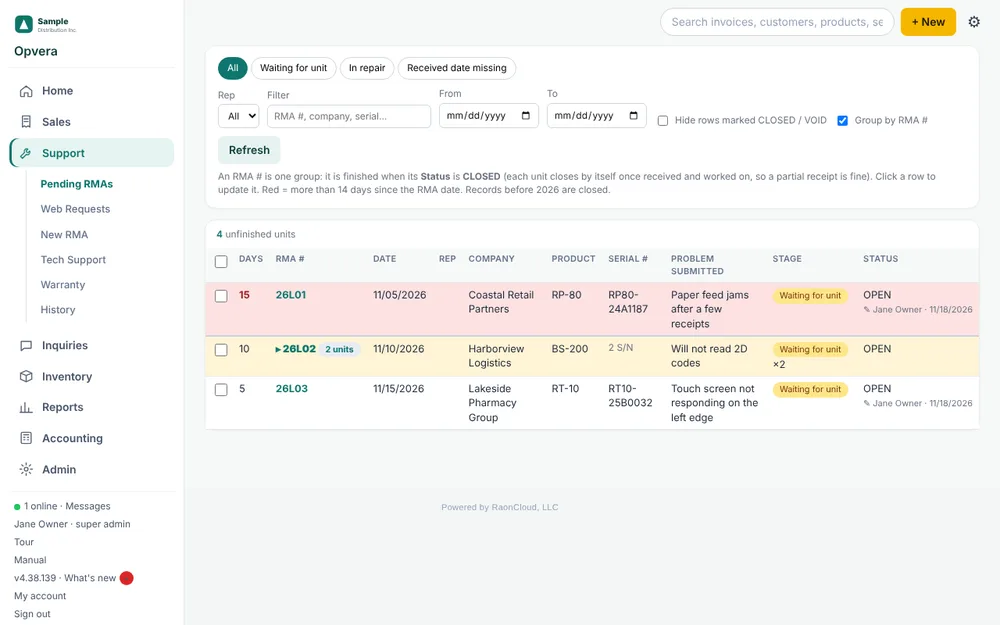
Screens show a sample company with made-up data. The interface is available in English, Korean and Spanish.
New — November 2026
A cleaner look and the tools owners asked for most. Anything that emails customers or takes money starts off until you turn it on.
New look and Home
Side menu with icons, one search box and + New on every screen. Owners see sales, money in, receivables and work waiting; staff see only their own areas.
Overdue reminders with approval
Staff pick past-due invoices; the email with the invoice goes only after an approver says yes.
Pay online
A pay link on each open invoice — card or bank (ACH) through your Stripe account — recorded on the invoice by itself.
Recurring invoices
Service and maintenance invoices made again every week, month, quarter or year.
Purchasing control
Draft purchase orders from reorder suggestions, and approval for orders over the amount you set.
Expenses and cash flow
Expenses with a photo of the receipt, booked to the ledger; money in and out week by week.
Order source and sales tax
Record how each order came in (phone, email, website, portal); choose B2B (no sales tax) or charge sales tax.
Weekly summary email
The key numbers in your inbox once a week.
Remote support from a call
Start a TeamViewer session from a tech-support call: the customer gets the link, code and steps by email in English, Korean or Spanish, and staff join from Chrome with nothing to install. Two TeamViewer accounts are shared automatically; Chrome Remote Desktop is a free backup.
Quality inspection
Incoming inspection by serial number with a checklist per product type, photos from the phone camera, sample tests of new vendors, compatibility and firmware notes — and failed units moved to Defective in one click. Bring the old inspection spreadsheet in with one upload.
One Reports menu
Every report in one list with plain names and a "what it is for" note: sales, receivables, slow stock, when you will run out, return rate by product and vendor, and owner-only profit reports.
Email announcements
Hours, promotions and holiday notices to all dealers, one rep's customers or chosen companies — formatted text, pictures with links, preview, test, approval and an unsubscribe link.
Fix a payment
Edit the date, check # or method of any payment, or void it and the invoices it paid open again — with access per user.
Find a customer by typing
A–Z row and type-ahead: type a few letters on the customer screen and press Enter.
RMAs with many units
One advance replacement invoice or one RMA invoice for several units of an RMA, with warranty units free on the same invoice.
Core — always included
Customers, sales, payments, inventory and reports.
Customers
One page per customer: contacts, addresses, terms, credit limit, documents, payments and history.
Quotes, orders, invoices
Print and email with your logo, see whether each document was emailed, edit, void and credit.
Payments
Split one payment over several invoices, split tenders, unapplied credit, receipts, refunds and statements.
Inventory
Stock by warehouse, serial numbers in and out, warranty by serial number, reorder alerts by email.
Reports
Sales, customer and stock reports you can print or export.
Find anything
Search documents, customers, products and serial numbers from one box.
Standard modules
Included in the Standard plan.
Purchasing
Vendors, purchase orders, receiving with a scanner, vendor bills and payments.
Accounting
General ledger posted from daily work: trial balance, profit & loss, balance sheet, accountant export.
RMA
RMA numbers, web RMA requests from your website, RMA history and reports.
Tech support & inquiries
Call log, web forms, and answers by email — the customer's reply comes back to the same inquiry.
Shipping labels
UPS, FedEx and USPS rates and labels, insurance, void, the customer's own carrier account, tracking.
Email, chat & commission
Customer replies come back into the ERP, staff chat, sales reps and a commission report.
Platform
Built to run your company, not just to look good in a demo.
Security
Two-step sign-in, access per user and per module, activity log, backups that can go to Google Drive.
Three languages
English, Korean and Spanish — each user picks the language.
Your brand
Your company name, address, logo and color on screens, printouts and emails.
Phone and app
Works on desktop and phone, installs as an app and sends push notifications.
Easy start
Install wizard, Getting started checklist, Excel / CSV import of products and customers.
Moving from QuickBooks Desktop
Optional import tools bring your existing lists and history over.
Connect your online store
Already selling on WooCommerce, Shopify or another online store? We can bring your existing products, customers and order history into Opvera and connect the store, so web orders arrive in Opvera as sales orders and stock stays in step.
WooCommerce
WordPress stores: products, prices, stock and orders through the WooCommerce REST API.
Shopify
Products, inventory and orders through the Shopify Admin API.
Marketplaces and more
Amazon, eBay, Etsy, BigCommerce, Square and other platforms that offer an API — ask us about yours.
Store connections are set up for each customer as an integration service and quoted separately. Without an API, you can start from your store's Excel / CSV export.
Not in the Standard plan
The dealer portal, public reseller applications and storing credit card numbers are not part of the Standard plan.
See Opvera with your own workflow
We will walk you through quotes to invoices, stock and serial numbers, RMAs and shipping — using the kind of products you sell.
Request a demo Try the live demo Request a quote